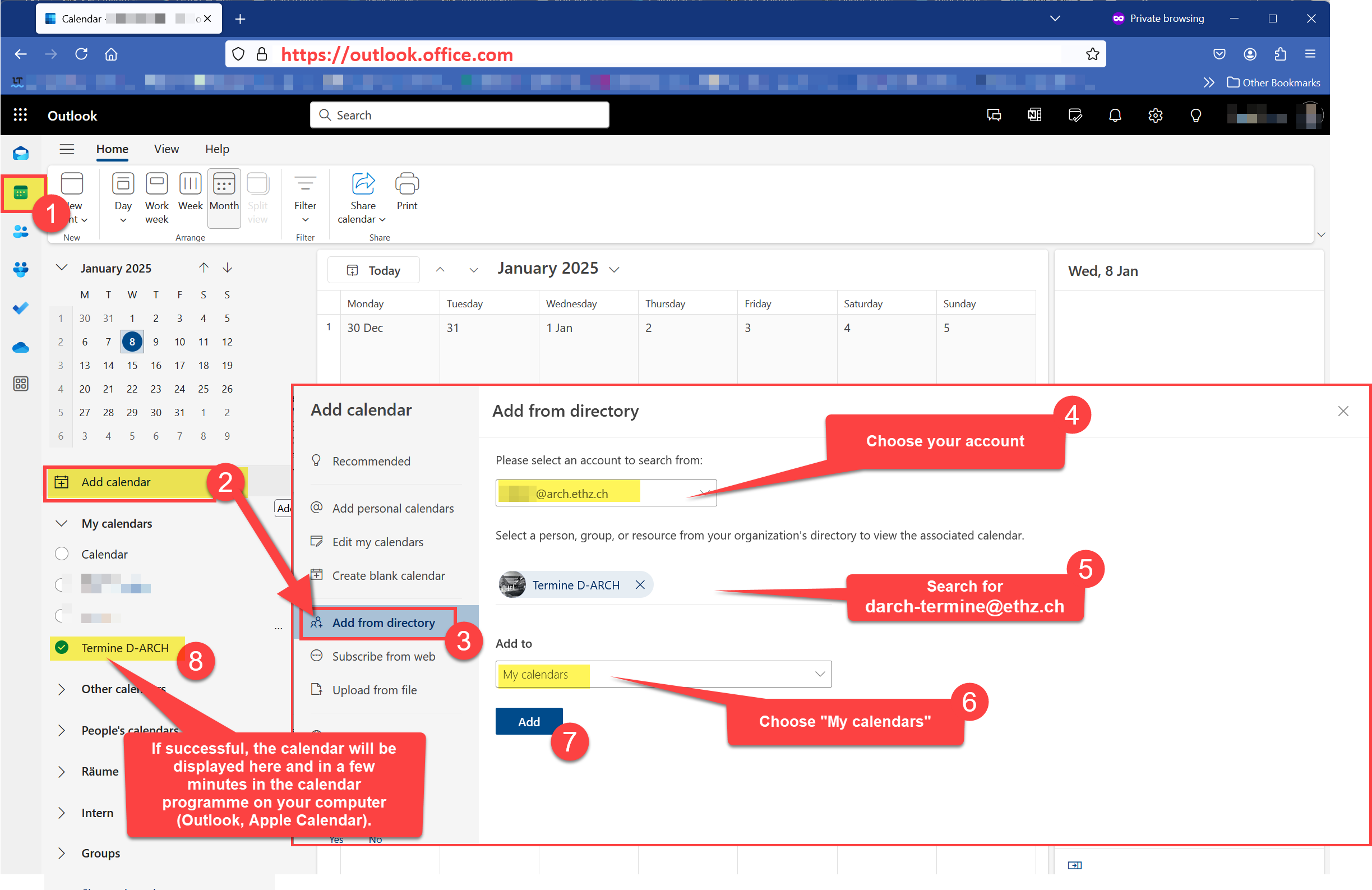
The department’s dates can be subscribed to in Apple Calendar or Outlook (Mac and Windows). The precondition is that the personal ETH Mail account has already been set up in Apple Mail or Outlook.
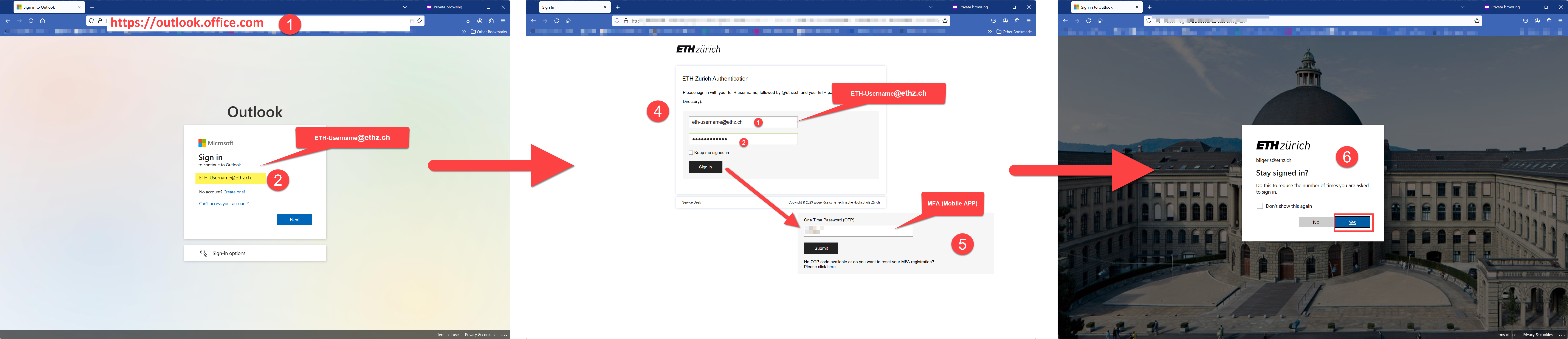
- Open the website https://outlook.office.com and log in with ETH-Benutzernamen@ethz.ch, if a login window will appear. If you are already logged in, go to point 2.
- Once you have logged in, follow the steps in the screenshot and use the following address to search for the calendar resource:
darch-termine@ethz.ch (copy & paste)
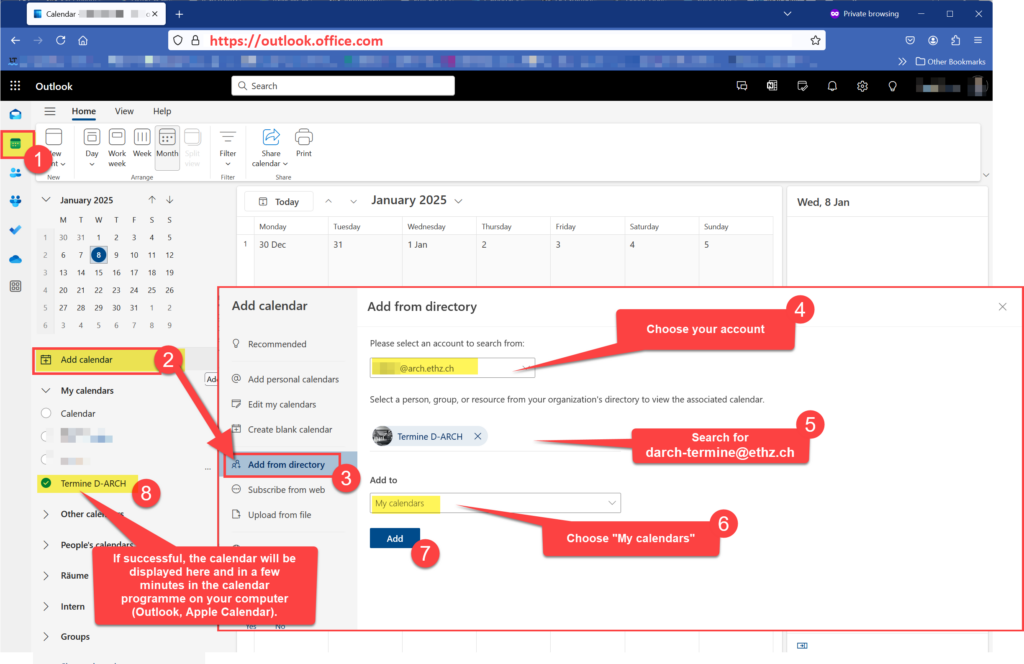
- After the import, close the ‘Add from directory’ window using the X symbol.
- The calendar is now visible on the left side and will appear in your Outlook program on your computer in a few minutes.
- If you are using the “Calendar” application from Apple, please follow the screenshot below: